Cacellation Reason Settings
Cancellation Reasons
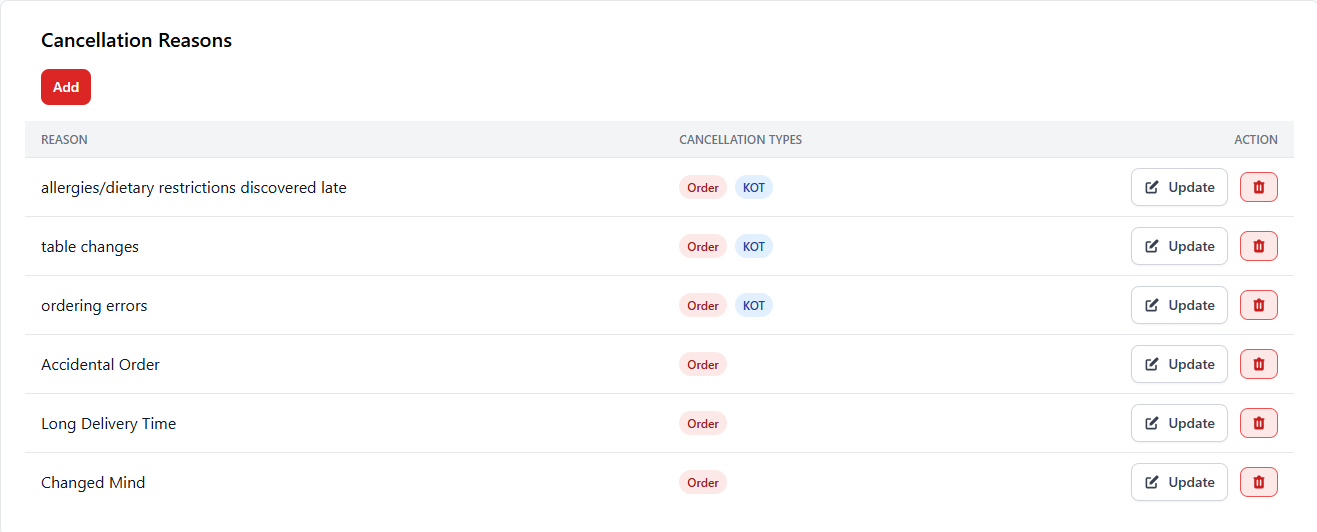
Cancellation Reasons allow administrators to define predefined reasons for canceling orders or Kitchen Order Tickets (KOT). These reasons help staff record why an order was canceled, which improves reporting accuracy and operational transparency.
1. Adding Cancellation Reasons
Administrators can create custom cancellation reasons that staff members can select when canceling orders or KOT items. This helps track operational issues such as ordering mistakes or customer changes.
| Option | Description |
|---|---|
| Add | Allows administrators to create a new cancellation reason that will be available for staff during order cancellation. |
| Update | Edit an existing cancellation reason. |
| Delete | Remove a cancellation reason from the system. |
2. Cancellation Types
Each cancellation reason can be assigned to specific cancellation types depending on where the cancellation occurs.
| Cancellation Type | Description |
|---|---|
| Order | Used when canceling a complete order before or after it reaches the kitchen. |
| KOT | Used when canceling a kitchen order ticket or specific item in the kitchen. |
3. Example Cancellation Reasons
Restaurants often create common cancellation reasons to help staff quickly select the appropriate cause.
| Reason | Purpose |
|---|---|
| Allergies / Dietary Restrictions Discovered Late | Customer informs about allergies after the order was placed. |
| Table Changes | Customer moved tables and requested order adjustments. |
| Ordering Errors | Incorrect item selected during order placement. |
| Accidental Order | Order was mistakenly created in the POS system. |
| Long Delivery Time | Customer canceled due to long waiting time. |
| Changed Mind | Customer decided to cancel the order. |
Best Practices
- Use clear and specific cancellation reasons for better reporting.
- Allow both Order and KOT cancellation when necessary.
- Regularly review cancellation reports to identify operational issues.
- Train staff to select accurate cancellation reasons.