Taxes Setting
Taxes Settings
The Tax Settings section allows administrators to configure the tax structure applied to orders and menu items. Taxes are automatically calculated during billing based on the configured tax rules.
1. What are Tax Settings?
Tax Settings help restaurants configure tax rules such as GST or VAT that will be applied to customer orders. The system allows flexible tax configuration to match different taxation policies.
- Define tax percentages for orders or items
- Automatically calculate taxes during billing
- Maintain accurate financial records
- Support compliance with government tax regulations
2. Tax Modes
The POS system supports two different tax calculation modes. Each mode determines how tax is applied during billing.
| Tax Mode | Description |
|---|---|
| Item Level Tax | Tax is applied individually to each item in the order. |
| Order Level Tax | Tax is applied to the total order amount. |
3. Item Level Tax Mode
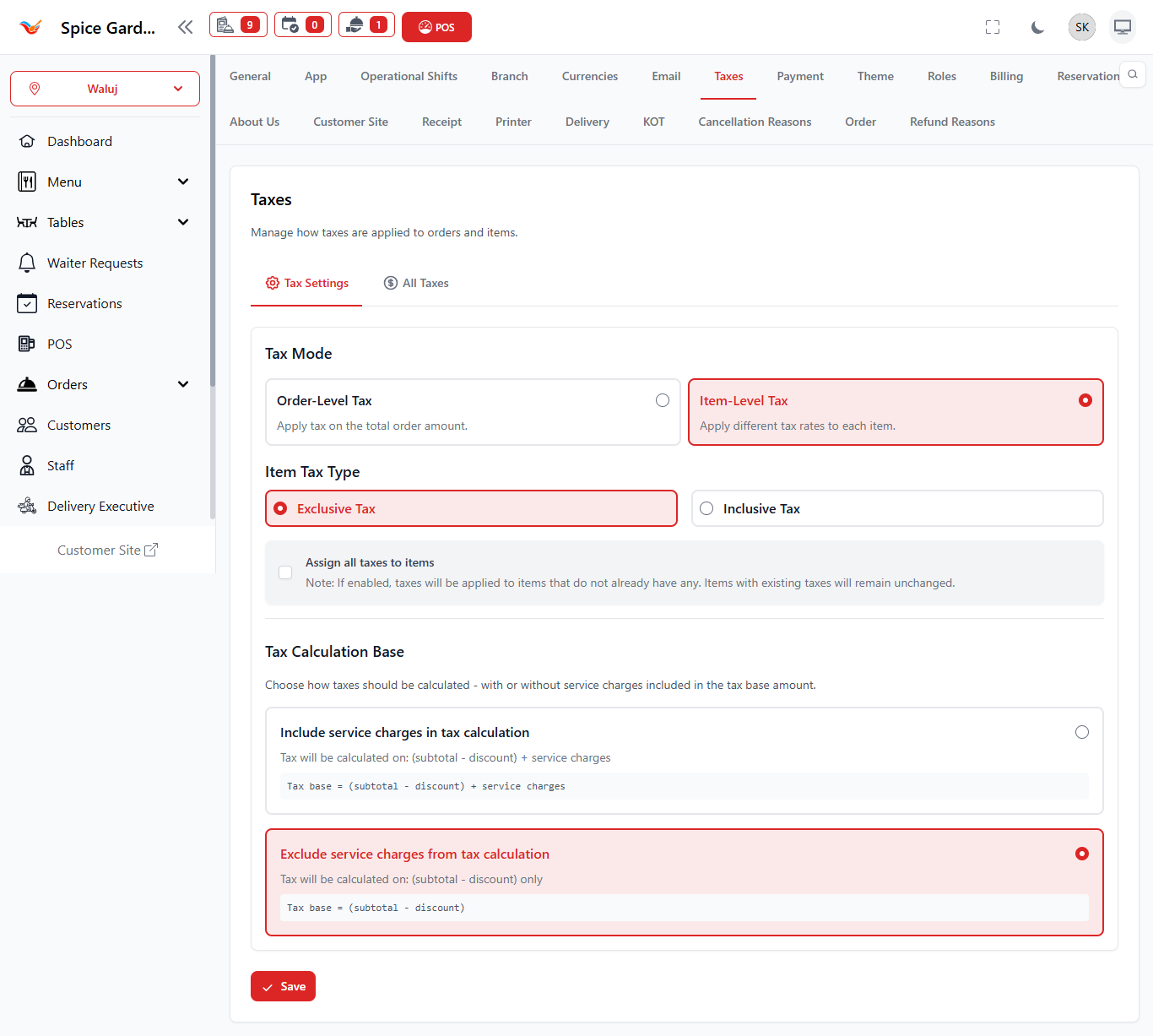
When Item Level Tax is enabled, each menu item has its own tax rule. The tax is calculated separately for each item added to the order.
- Useful when different items have different tax rates
- Common for food and beverage businesses
- Provides accurate tax calculation per item
4. Order Level Tax Mode
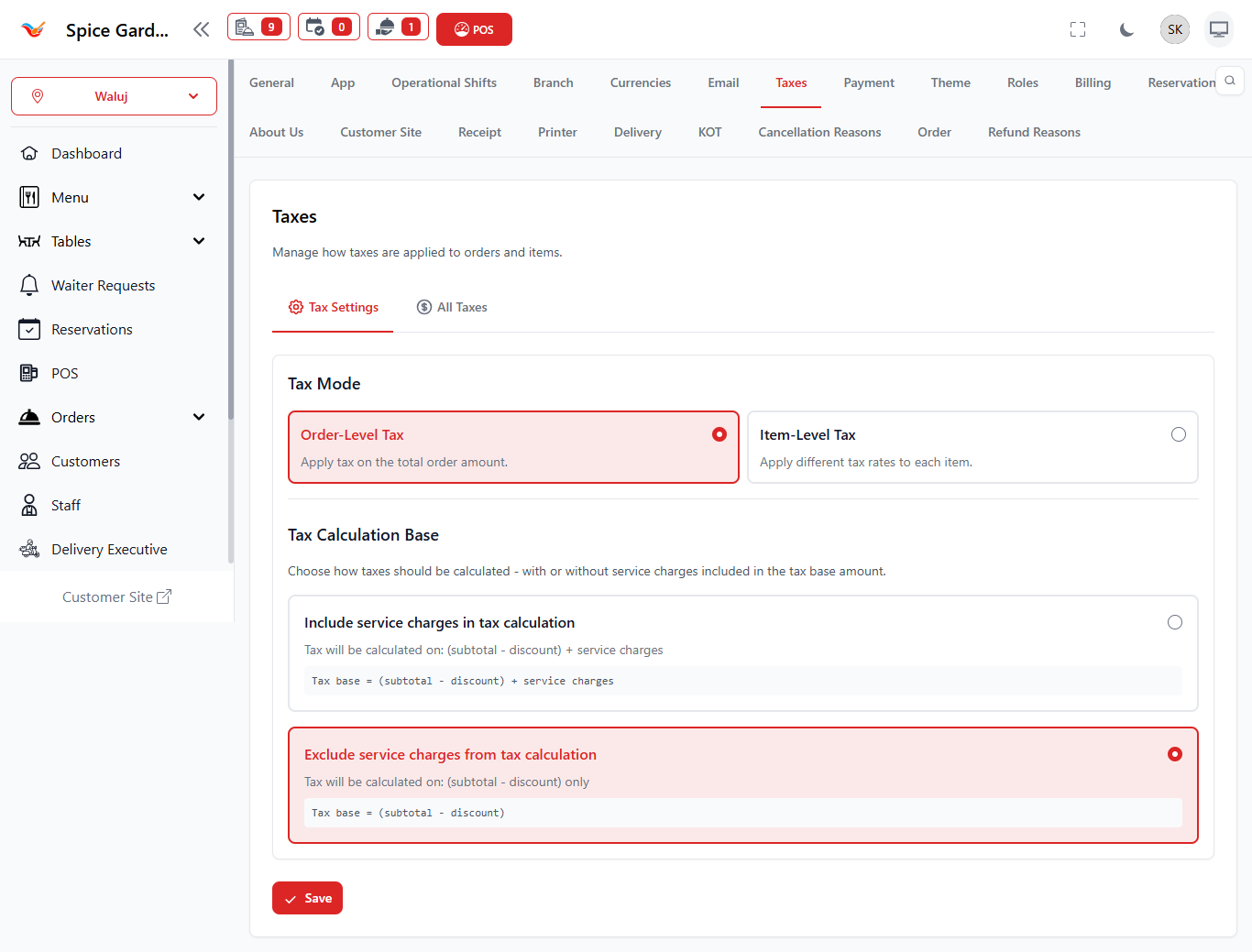
When Order Level Tax is enabled, the tax percentage is applied to the entire order subtotal instead of individual items.
- Simplifies tax calculations
- Useful for uniform tax policies
- Applied after all items are added to the order
5. Tax Management Table
The tax table displays all configured tax rules.
| Column | Description |
|---|---|
| Tax Name | Name of the tax (e.g., GST, VAT). |
| Tax Percentage | Tax rate applied to orders or items. |
| Status | Shows whether the tax is active. |
| Action | Allows administrators to update or delete tax rules. |