Select Order Type
Select Order Type
Before creating a new order in the POS system, staff must select the appropriate order type. This ensures accurate billing, reporting, and operational workflow.
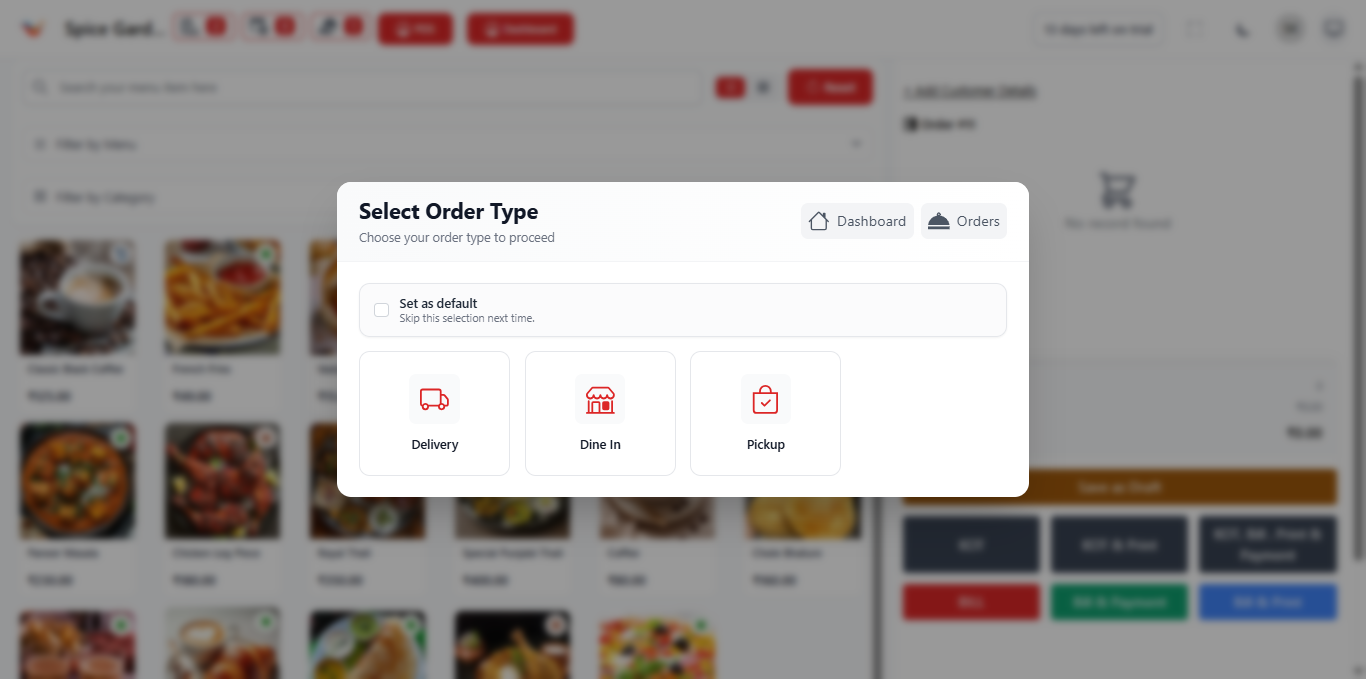
Available Order Types
The system provides three order types:
- Dine In – For customers seated at a table inside the restaurant.
- Delivery – For orders delivered to the customer's address.
- Pickup – For takeaway orders collected by the customer.
Selecting the correct order type ensures proper tax calculation, reporting,
and order tracking inside the system.
How to Select Order Type
- Click on the POS module.
- The Select Order Type popup will automatically appear.
- Choose one of the available options (Dine In, Delivery, or Pickup).
- The system will redirect you to the order screen.
Set Default Order Type
You can enable the "Set as Default" option to skip this selection in future sessions.
- Reduces order creation time.
- Recommended for restaurants that primarily use one order type.
For fast-paced restaurants, setting a default order type can significantly
speed up billing operations.
System Behavior Based on Order Type
- Dine In → Requires table selection.
- Delivery → Requires customer address details.
- Pickup → No table assignment required.
Incorrect order type selection may affect reporting and kitchen workflow.
Always verify before proceeding.
Why Order Type Selection is Important
- Ensures proper billing and tax configuration
- Improves operational efficiency
- Helps track sales by order category
- Maintains accurate daily revenue reports
- Supports performance analytics