Tax Report
Tax Report
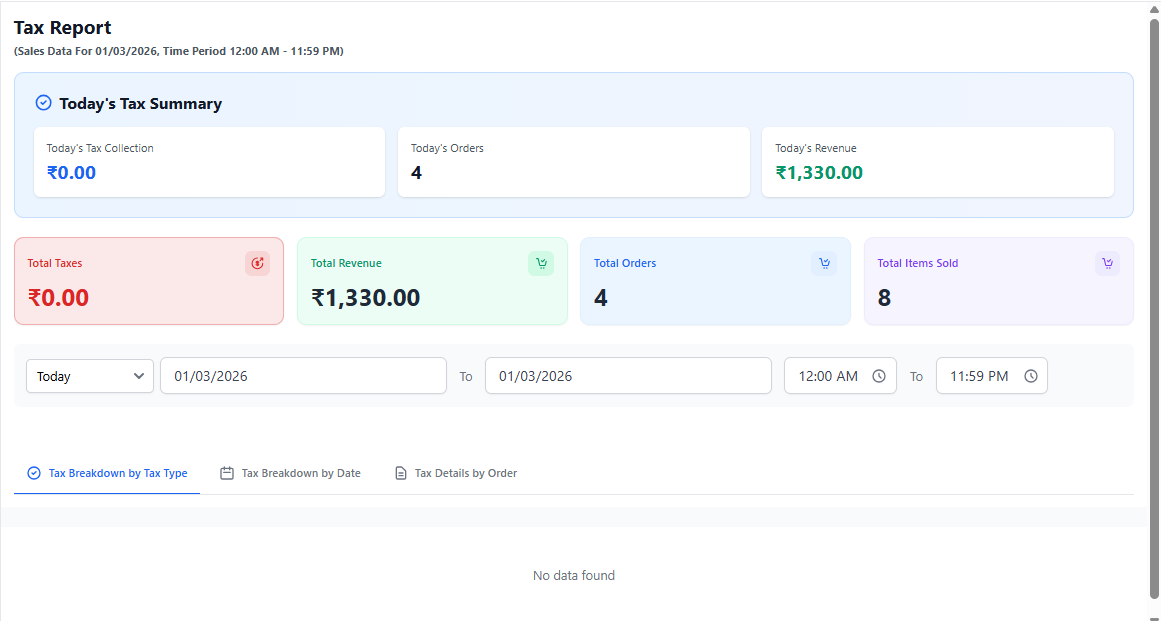
The Tax Report provides a detailed summary of taxes collected from customer orders within a selected period. It helps restaurant owners monitor tax liabilities, verify tax calculations, and prepare accurate financial and government compliance reports.
1. Purpose of Tax Report
The Tax Report records all tax amounts applied to orders including GST or other configured tax structures. It provides transparency in tax collection and simplifies accounting and statutory filings.
This report is essential for GST filing and financial auditing.
2. Date & Filter Options
- Select predefined date ranges (Today, Week, Custom).
- Choose custom start and end dates.
- Filter report by user or branch (if applicable).
- Export tax report for accounting or compliance purposes.
Generate monthly tax reports for easier accounting reconciliation.
3. Tax Details Table
The report provides the following tax-related information:
- Tax Name – Name of applied tax (e.g., GST, VAT).
- Tax Percentage – Applied tax rate.
- Total Orders – Orders where tax was applied.
- Taxable Amount – Total taxable sales value.
- Total Tax Collected – Total tax amount collected from customers.
This information ensures accurate tax tracking and verification.
4. Business Insights You Can Gain
- Track total tax collected over time.
- Verify tax calculations.
- Prepare government tax submissions.
- Monitor taxable revenue.
- Ensure compliance with financial regulations.
5. Best Practice for Owners
- Review tax report monthly.
- Export reports before tax filing deadlines.
- Verify tax configuration regularly.
- Share reports with accountant for reconciliation.