Assign Table to an Order
Assign Table & Merge Tables in POS
The POS system allows staff to assign tables to orders and merge multiple tables into a single order. This feature is essential for dine-in management, large groups, and flexible seating arrangements.
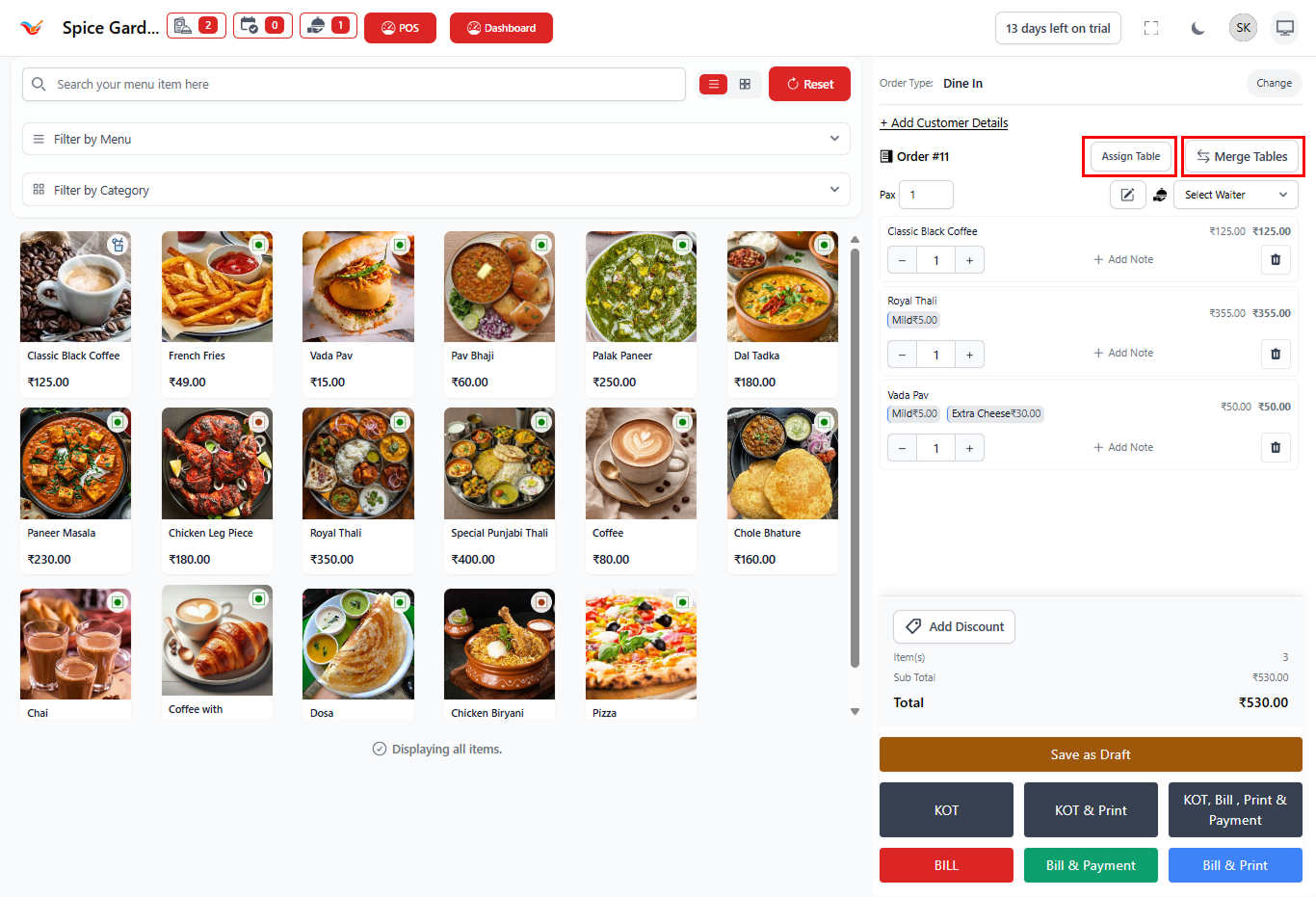
1. Assigning a Table to an Order
When creating a dine-in order, assigning a table helps the restaurant track customer seating, waiter responsibility, and billing accurately.
Why Assign a Table?
- Tracks which customers are seated where.
- Helps waiters manage their assigned tables.
- Prevents order confusion during busy hours.
- Allows table-wise reporting and analytics.
Steps to Assign a Table
- Create or open an order in POS.
- Click the Assign Table button on the order panel.
- The system displays available tables by area.
- Select an available table.
- The table will now be linked to the order.
Once assigned, the table becomes occupied and cannot be assigned
to another order until the current order is completed or closed.
2. Understanding Table Status
The POS automatically manages table availability based on order activity.
- Available — Table is free for new customers.
- Occupied — Active order is linked.
- Reserved — Table booked via reservation system.
- Merged — Combined with another table.
3. Merging Tables
Table merging allows staff to combine multiple tables into one order. This is useful when customers arrive in large groups or need additional seating.
When to Use Merge Tables
- Large family or group dining.
- Customers shift seating.
- Two tables want a single bill.
- Event or party seating.
Steps to Merge Tables
- Open the active order.
- Click the Merge Tables button.
- Select additional tables to combine.
- Confirm merge action.
- All tables now operate under one order.
Merged tables share the same bill, KOT, and payment workflow.
This ensures seamless billing for large groups.
4. Operational Benefits
- Improves dine-in management efficiency.
- Reduces billing mistakes.
- Enhances waiter coordination.
- Provides accurate table usage reports.
- Supports real-world restaurant seating scenarios.