Staff Management
Staff Management
The Staff Management module allows restaurant owners and administrators to manage employees, assign roles, and control system access permissions. This section helps you add new staff members, update roles, and maintain operational control of your restaurant team.
Staff Dashboard Overview
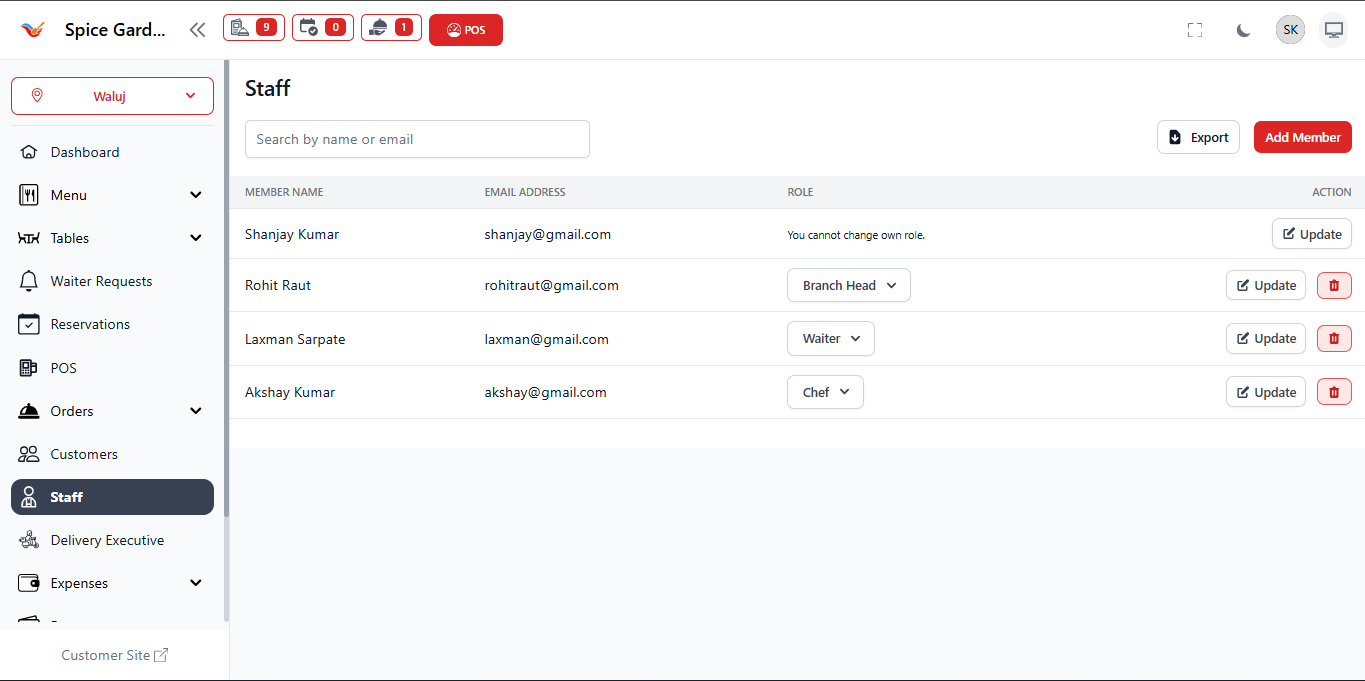
The Staff Dashboard displays all registered team members along with their roles and account details. Owners can monitor employee access and manage responsibilities directly from this screen.
Key Information Displayed
- Member Name: Shows the staff member’s full name.
- Email Address: Used as login credential for system access.
- Role: Defines permissions and responsibilities inside the system.
- Search Bar: Quickly find staff by name or email.
- Export Button: Download staff data for records.
- Add Member: Create a new staff account.
- Update: Modify staff details or role.
- Delete: Remove staff access from the system.
⚠️ Note: Some roles (such as Owner/Admin) may not be editable for security reasons.
Roles in Staff Management
Each staff member is assigned a role that determines what actions they can perform:
- Admin / Owner: Full system access and configuration control.
- Branch Head: Manages daily operations and staff activities.
- Waiter: Handles table orders and customer service.
- Chef: Accesses Kitchen Order Tickets (KOT) and food preparation workflow.
How to Add a New Staff Member
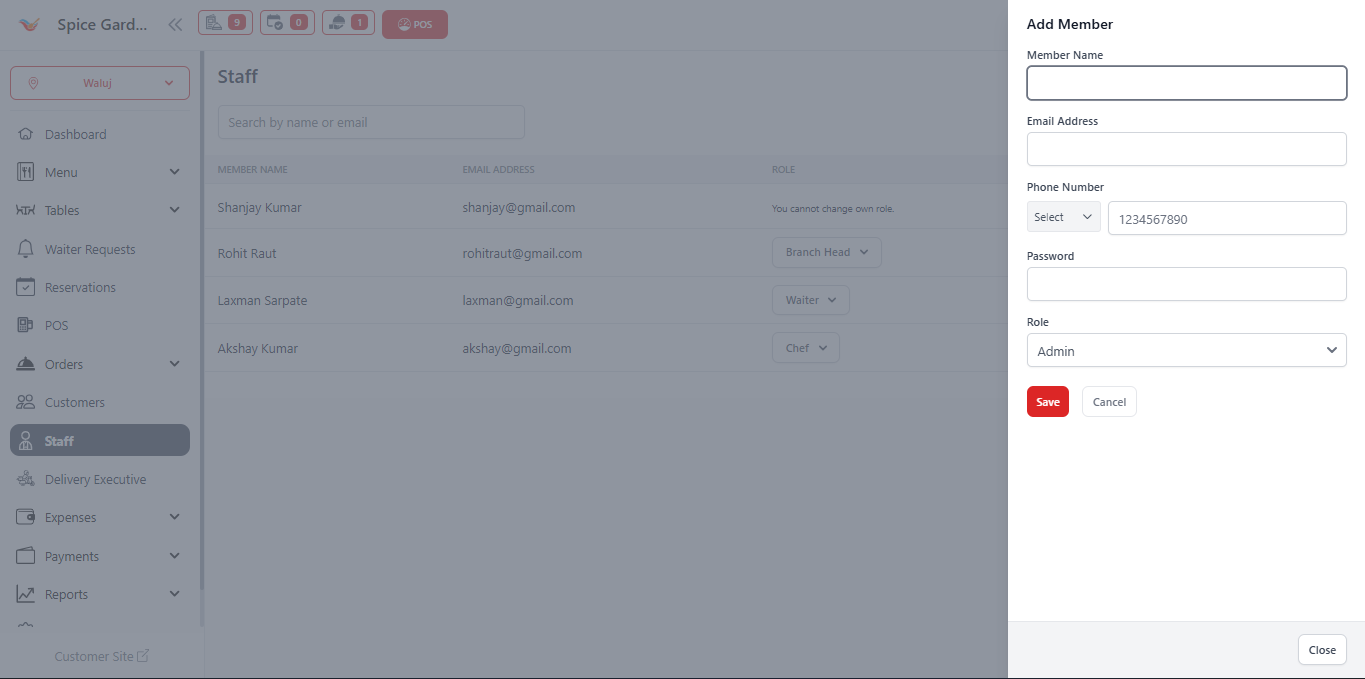
Follow these steps to add a new employee to the system:
- Click the Add Member button on the Staff page.
- Enter the Member Name.
- Provide a valid Email Address.
- Enter the Phone Number.
- Create a secure Password for login access.
- Select the appropriate Role.
- Click Save to create the staff account.
Updating Staff Information
To modify an existing staff member:
- Locate the staff member from the list.
- Click the Update button.
- Edit role or details as required.
- Click Save to apply changes.
Best Practices for Owners
- Assign roles carefully to maintain security.
- Provide admin access only to trusted staff.
- Remove inactive employees immediately.
- Use role separation to avoid operational mistakes.
- Regularly review staff permissions.
Summary
The Staff Management module ensures smooth restaurant operations by organizing employee access, defining responsibilities, and maintaining secure system control. Proper staff setup improves workflow efficiency across POS, Orders, and Kitchen operations.